-
windows新终端
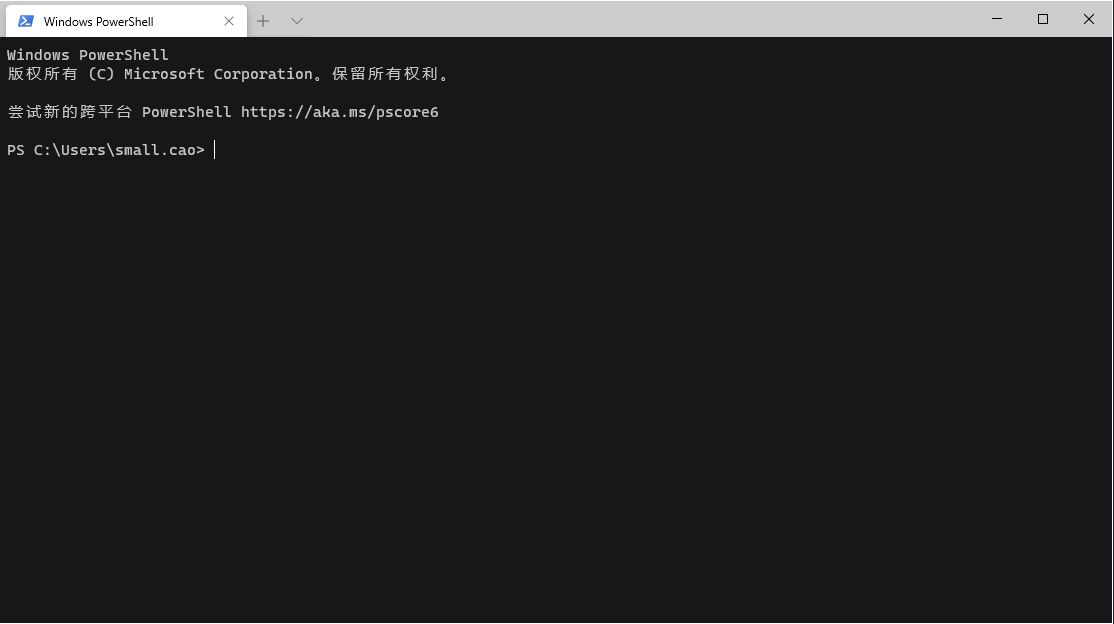
-
可以自定义主题
-
打开设置
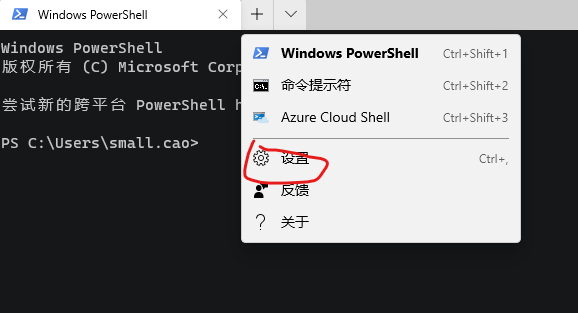
-
在这里选择一个喜欢的 主题
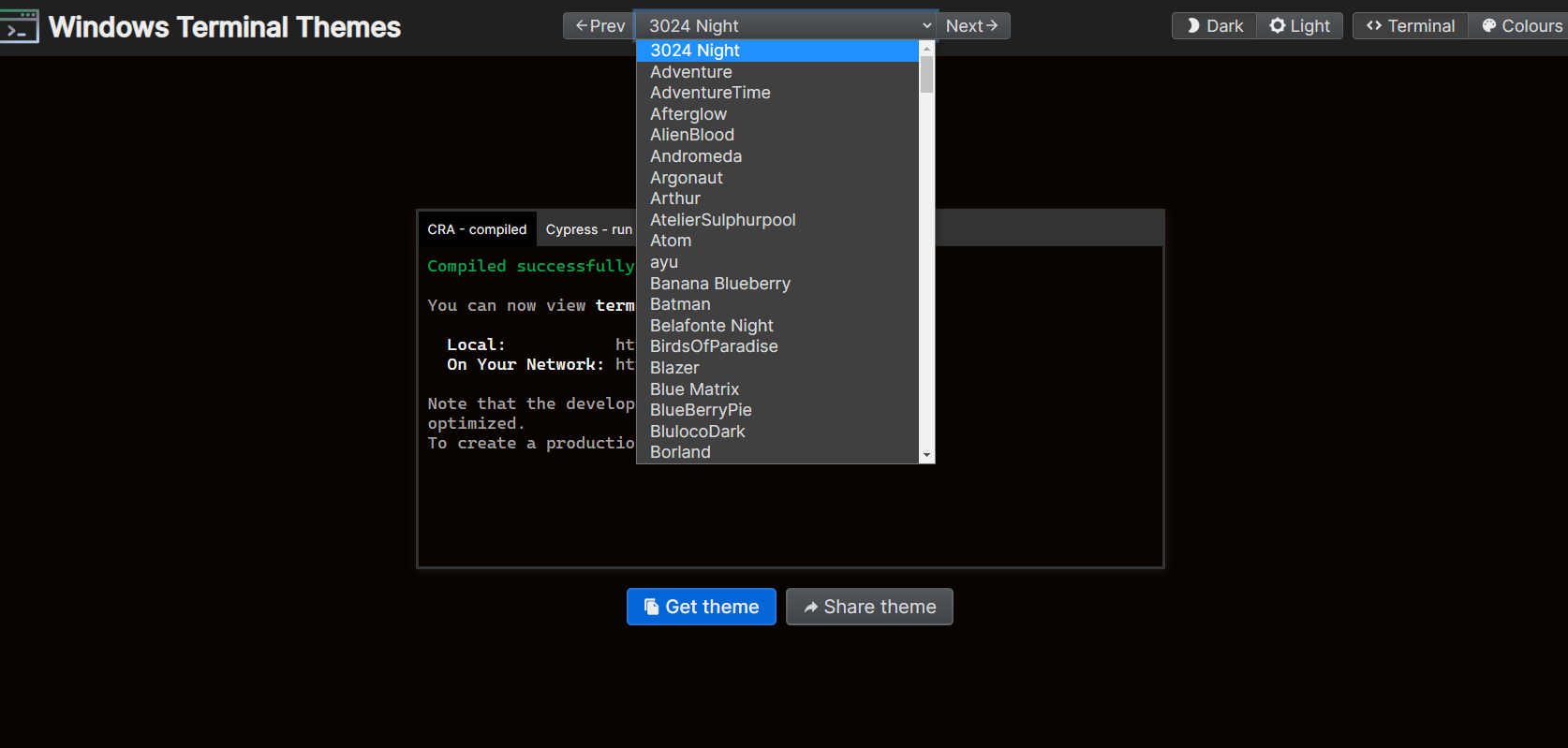
将选择好的主题配置信息,放在下图
schemes集合里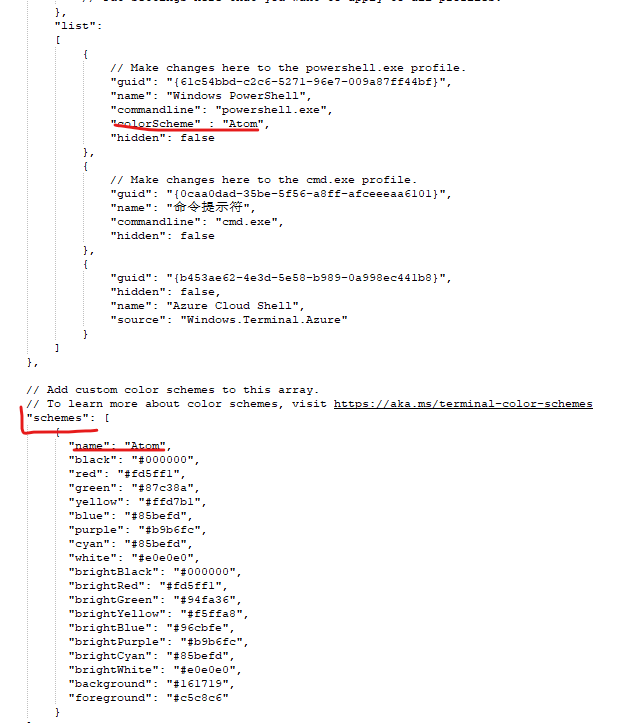
修改上图
list增加colorScheme名字对应添加的schemes中的name -
不够炫酷?修改背景图片,
"backgroundImage": "E:\\bg.png",
"backgroundImageOpacity": 0.3,
"backgroundImageStretchMode":"none", # 有四个选项 uniformToFill | none | fill | uniform
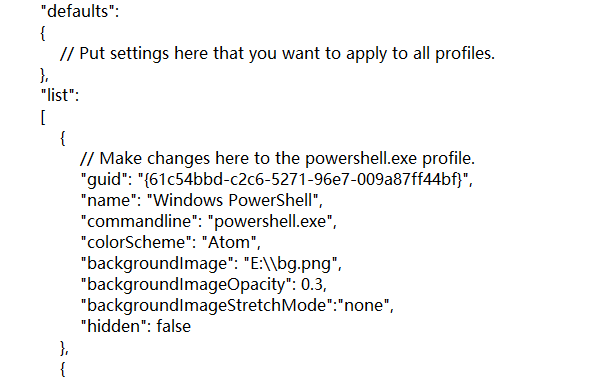
注意图片路径的反斜杠-转义或者用正斜杠:'/' 否则会设置失败
最终效果:
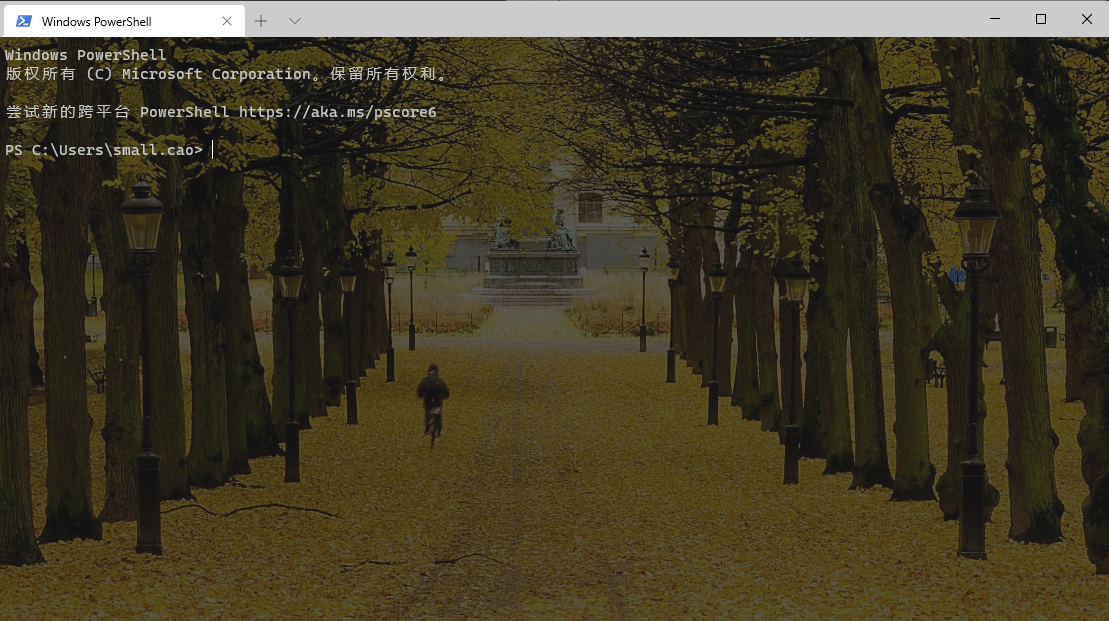 重新打开终端,ok