1. Windows 安装步骤
-
安装: 官网下载
https://hub.docker.com/对应版本 -
设置:
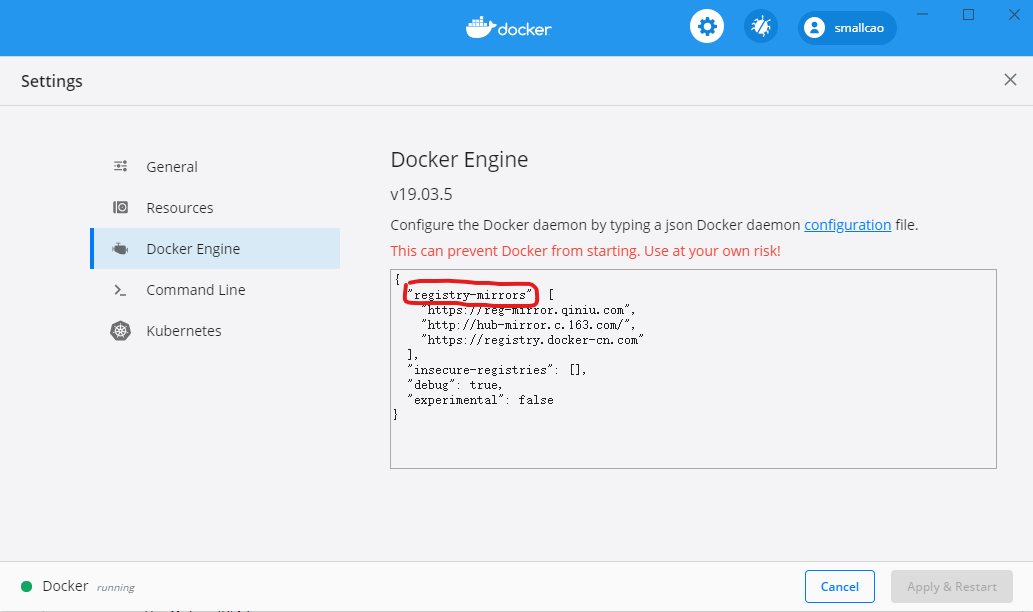
- 修改
registry-mirrors镜像地址- https://reg-mirror.qiniu.com
- http://hub-mirror.c.163.com/
- https://registry.docker-cn.com
- 修改
{
  "registry-mirrors":[
      "https://reg-mirror.qiniu.com",
      "http://hub-mirror.c.163.com/",
      "https://registry.docker-cn.com"
  ],
  "builder": {
    "gc": {
      "defaultKeepStorage": "20GB",
      "enabled": true
    }
  },
  "experimental": false,
  "features": {
    "buildkit": true
  }
}
2. CentOS 安装步骤
官网
https://docs.docker.com/engine/install/centos/#prerequisites 先卸载旧版本
sudo yum remove docker \
                  docker-client \
                  docker-client-latest \
                  docker-common \
                  docker-latest \
                  docker-latest-logrotate \
                  docker-logrotate \
                  docker-engine
安装yum-utils软件包(提供yum-config-manager 实用程序)并设置稳定的存储库。
sudo yum install -y yum-utils

sudo yum-config-manager \
    --add-repo \
    https://download.docker.com/linux/centos/docker-ce.repo
开始安装引擎
sudo yum install docker-ce docker-ce-cli containerd.io
启动
sudo systemctl start docker
测试是否正常
sudo docker run hello-world